Git常用命令记录
Posted at
# Git
-
删除分支
删除本地分支:
git branch -d <branch-name>强制删除本地分支:
git branch -D <branch-name>删除远程分支:
git push --delete <remote-name> <branch-name> -
本地分支推送到远程分支
远程还未创建该分支:
git push -u origin <branch-name> //-u是将本地分支与远程分支跟踪若是已经跟踪,则只需切换到相关分支,然后直接推送:
git switch <branch-name> git push -
创建一个新分支
git branch <branch-name> -
显示所有分支
git branch -
添加远程仓库
git remote add origin <ssh-url> -
显示远程仓库
git remote git remote -v //显示详细信息 -
删除远程仓库引用
git remote remove <reomote-name> git remote remove origin -
远程仓库修改名称后,更新本地引用
git remote set-url <remote-name> <ssh-url> git remote set-url origin <ssh-url> -
一次性提交
git commit -am "change sth"需要注意,如果是新建的文件需要先 git add .跟踪之后才能使用一次性提交
-
查看仓库状态
git status
-
git diff 的使用
查看工作区与暂存区的差异:
git diff查看暂存区与上次提交的差异:
git diff --staged
git diff --cached
查看两次提交之间的差异:
git diff commit1-hash commit2-hash //使用哈希值查看单独一个文件的修改:
git diff <file-name>查看不同分支最新提交之间的差异:
git diff <branch1-name> <branch2-name> -
git reset的使用
回退的同时删除工作区和暂存区:
git reset --hard <commit-hash>回退的同时只删除暂存区:
git reset --mixed <commit-hash>只回退,保留工作区和暂存区的内容;
git reset --soft <commit-hash>使用 git reset后,需要强制覆盖远程仓库的历史:
git push --force -
git log 和 git reflog 的使用与区别
显示历史提交信息(commit):
git log
git log --oneline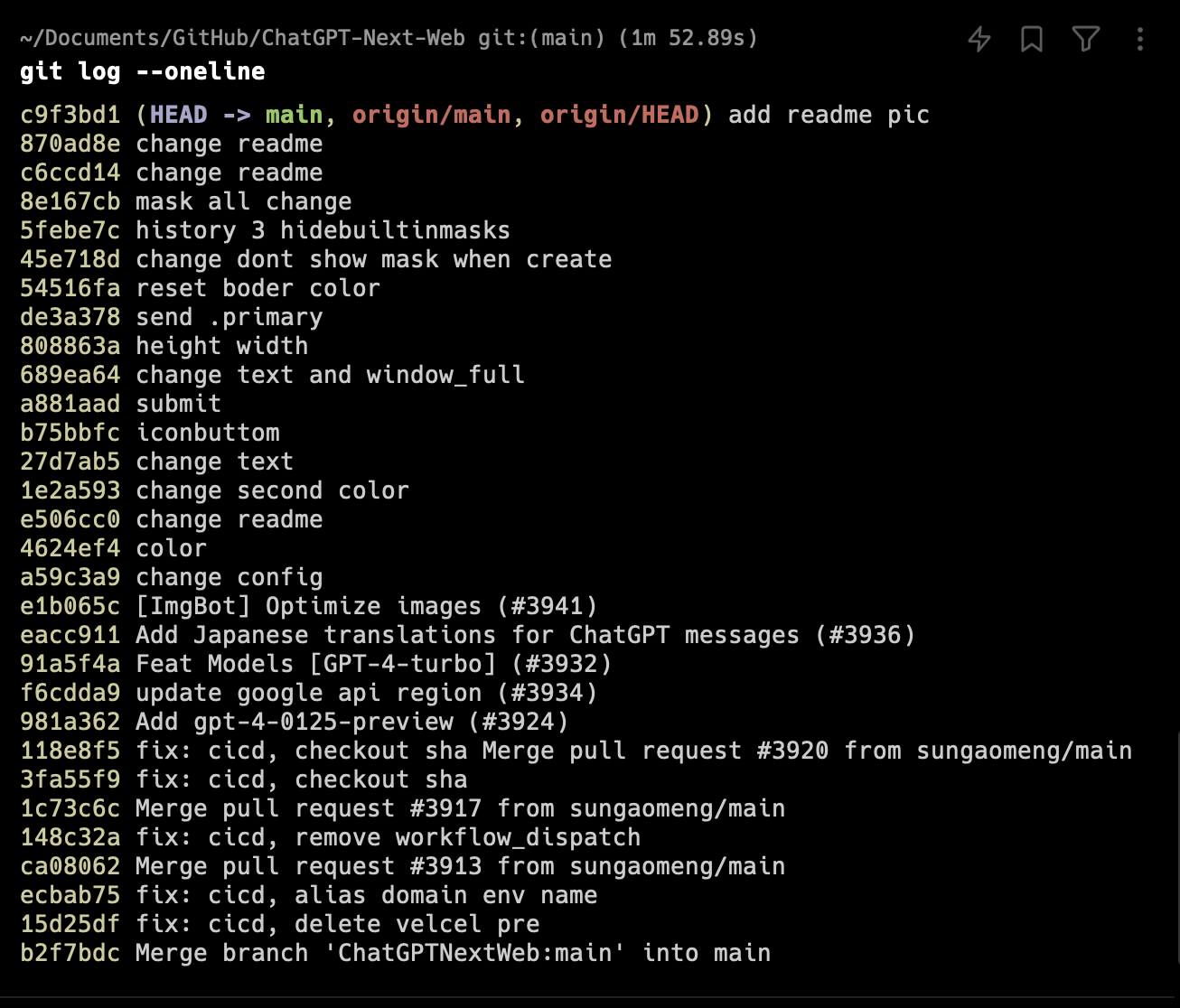
显示本地仓库中 HEAD 和分支指针的变化历史,提交、合并、重置和分支的检出等:
git reflog
git reflog --oneline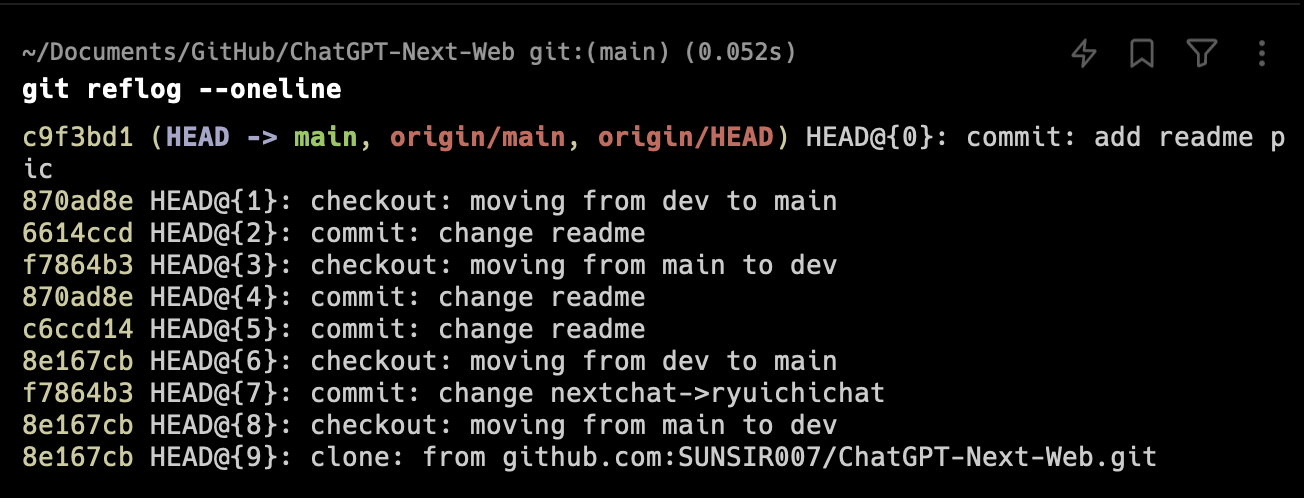
- 恢复能力:
git reflog可以帮助你恢复到几乎任何之前的状态,即使那些状态已经被删除或丢弃,只要它们还在本地仓库的操作历史中。 - 适用范围:
git log的信息是存储在项目的历史中,可以被推送到远程仓库;而git reflog的信息是本地的,每个克隆的仓库都有自己的 reflog,不会被推送到远程仓库。
- 恢复能力:
-
从远程拉取并合并
拉取:
git fetch origin比较远程与本地之间的差异:
git diff main origin/main合并到本地:
git merge <remote-name>/<branch-name>
git merge origin/main